Giving and Managing Donations in Adopterluv
Last updated: October 5, 2026
You can give to a shelter or rescue from your Adopterluv account, one time or monthly, and you can cancel a monthly gift whenever you want to stop.
To get started, log into your Adopterluv account here.
Make a One-Time or Monthly Donation
Once you have logged into your Adopterluv account, follow the steps below to make a donation from your Adopterluv account:
Click the Donations button in the menu bar, and then choose the organization you would like to donate to.
In the new window, you will have the option to make a one-time or monthly donation.
Once you have selected the correct donation type, fill in your information and click the Donate button at the bottom. You will also have the option to cover the organization's processing fees to ensure that 100% of your donation goes to the shelter or rescue.
Cancel Your Monthly Donation
Once you have logged into your Adopterluv account, follow the steps below to cancel your recurring donation:
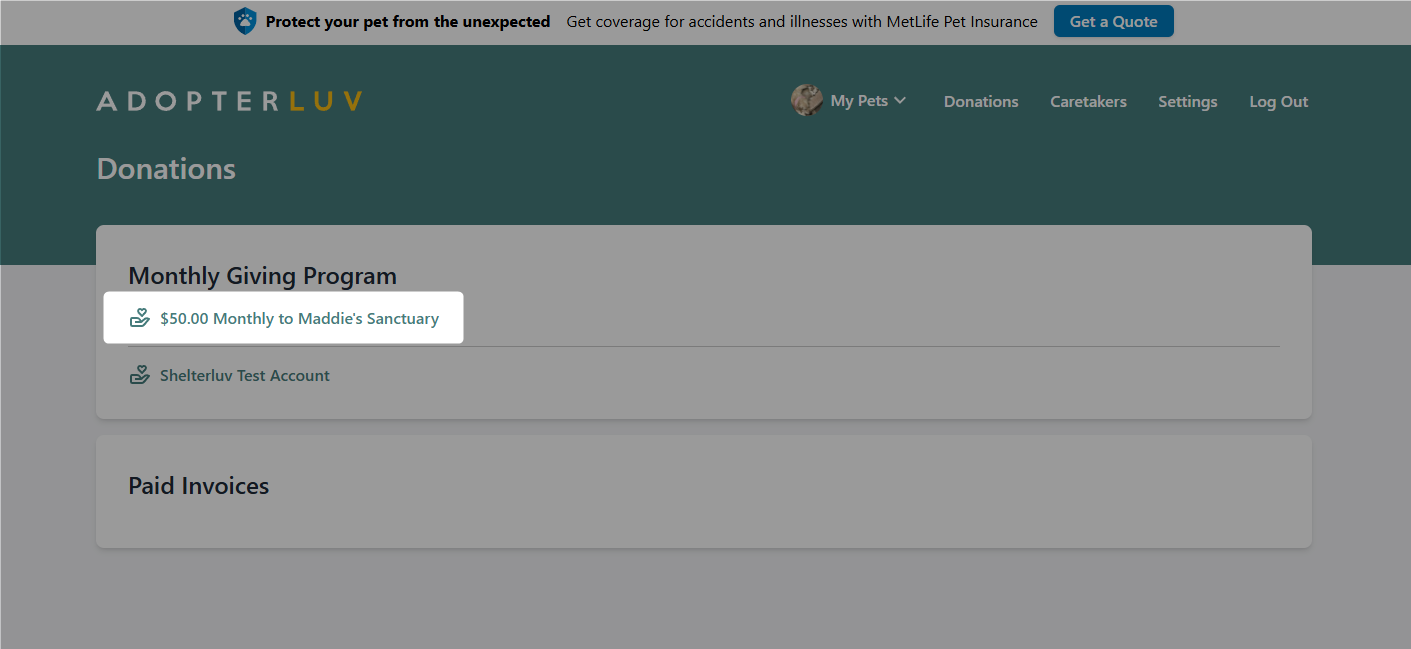
Click the Donations button in the menu bar, and then click the monthly donation you wish to cancel.
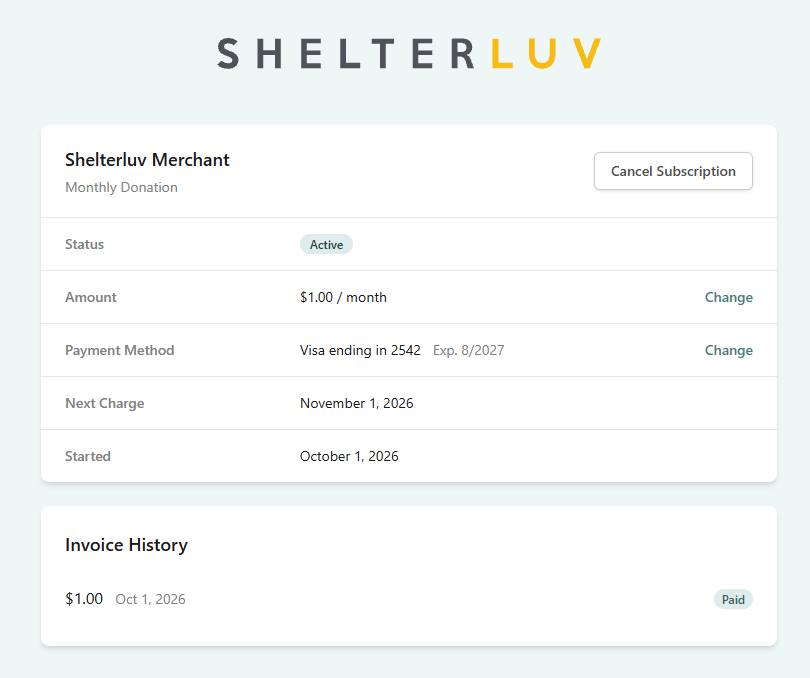
Click the Cancel Subscription button.
Change the card or amount on a monthly donation
You can update your payment information or change your donation amount directly without canceling your subscription.
Once you have logged into your Adopterluv account, follow the steps below to update your recurring donation:
Click the Donations button in the menu bar, and then select the organization from the list.
You will be directed to the Donation Boost Widget where you can update your payment details or adjust your monthly donation amount.
Your giving history stays on your account when you make these changes.
Donation Receipts
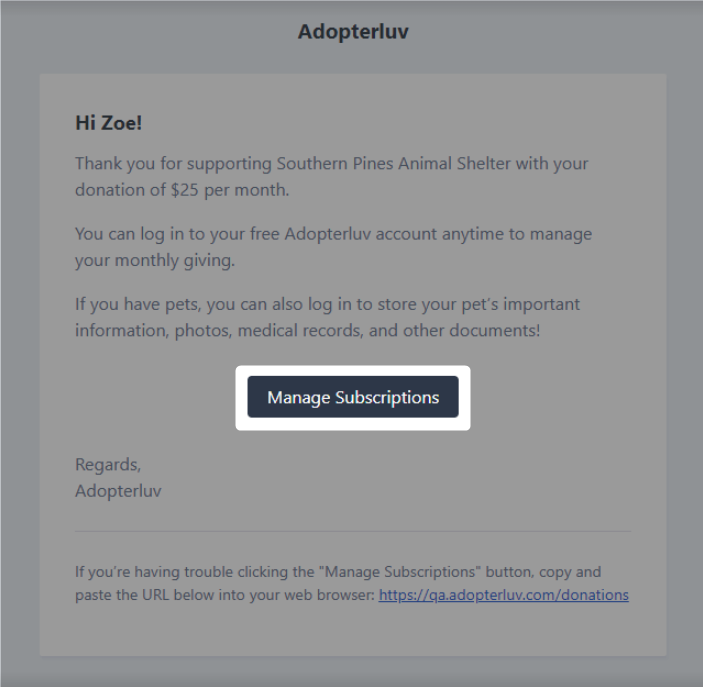
You will receive an emailed receipt with each monthly donation. When you submit your first monthly donation, you will receive a second email, along with the receipt, that allows you to manage or cancel your subscription if your Adopterluv account is not set up.