Invite a caretaker to your pet's account
Last updated: August 28, 2026
You can invite a family member, a pet sitter or a caretaker to your Adopterluv account so they can see your pet's records and microchip details too.
Log into your Adopterluv account here to get started.
Add a Caretaker
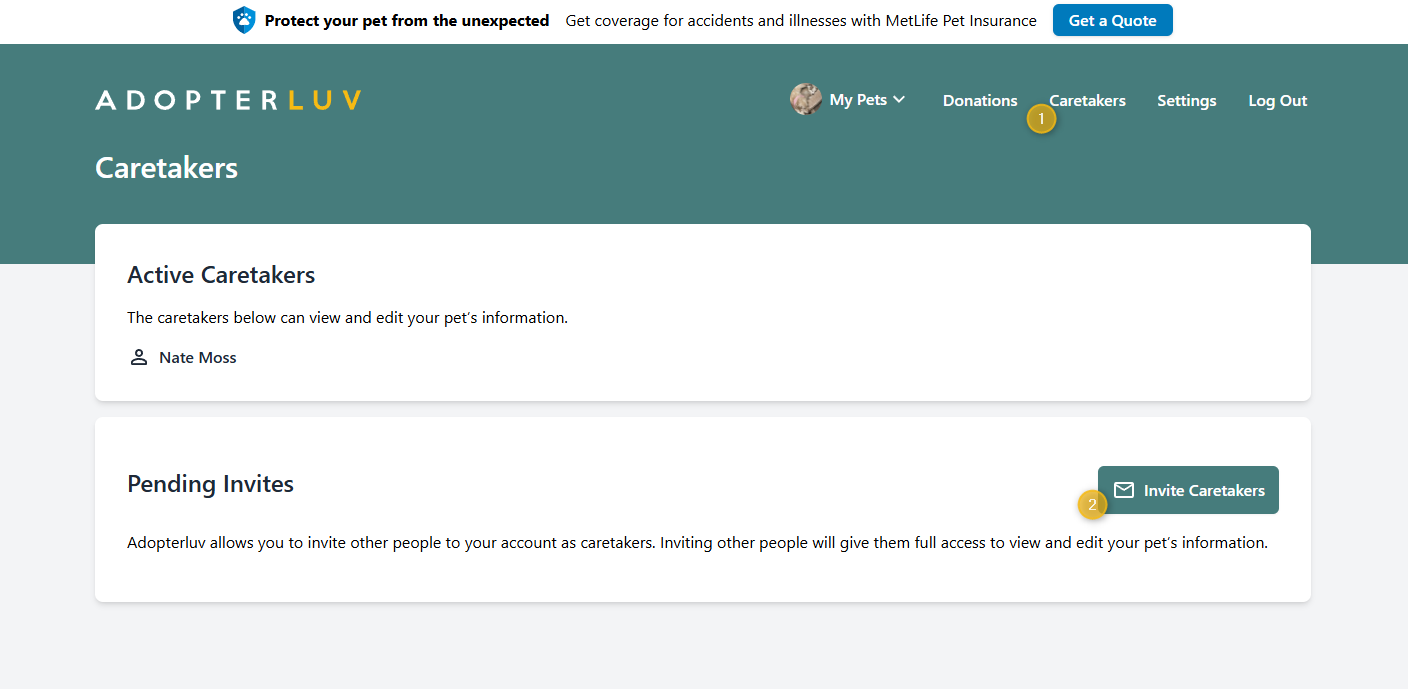
Once you log into your Adopterluv account, follow these steps to add a caretaker:
Click the Caretakers button in the main menu.
Click the green Invite Caretakers button.
Enter the caretaker's first and last name, along with their email address, and click the Send Invite button. The caretaker will receive an email invitation to set up their password and log into the Adopterluv account.